What are they all for?
Groups, chats, and channels
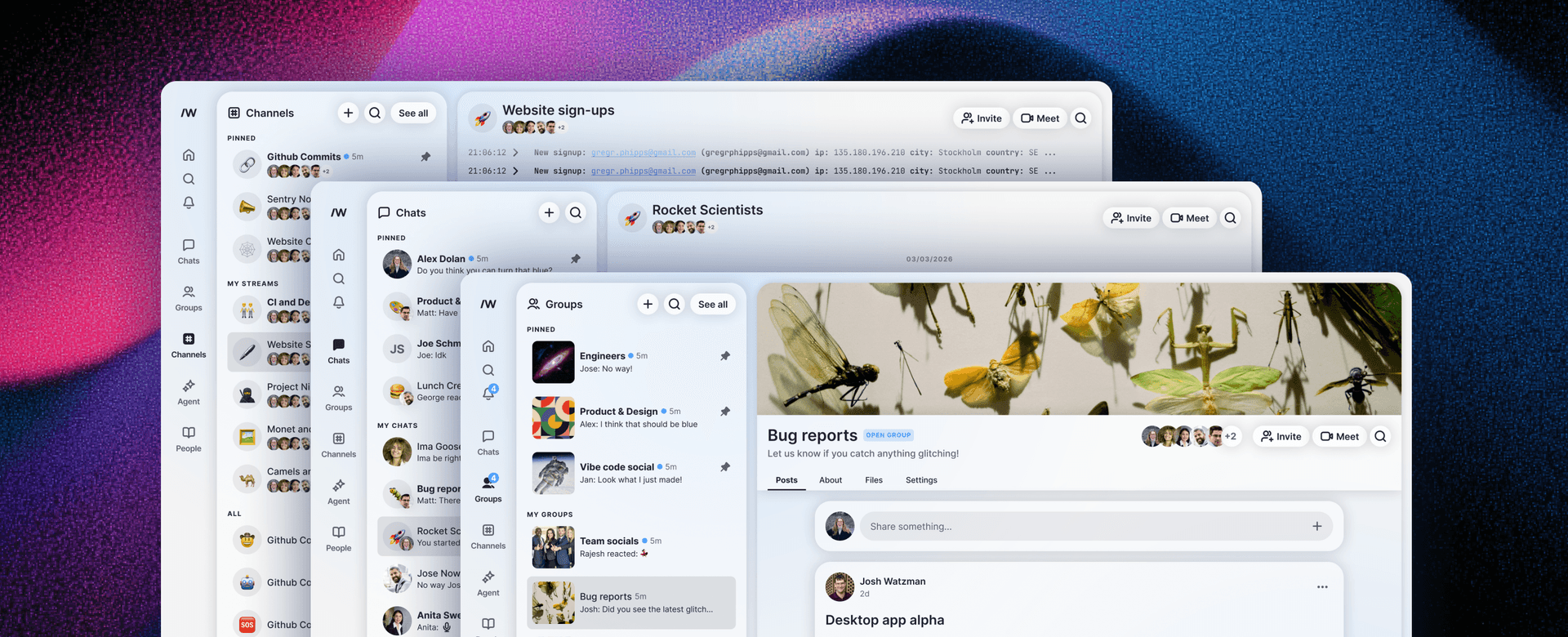
Slashwork puts deep work first.
We wanted to build a place for focused, in depth discussions that don’t get interrupted by casual chit chat or automated data-stream posts. When your unread counts get out of hand, things get buried and it can feel impossible to find the information you need.
That’s why we’ve streamlined communication into groups, chats, and channels. Slashwork separates out the crucial from the casual.
Async
Groups are for focused discussions
Compose a group post to make a big announcement, ask for feedback on your latest work, or brainstorm ideas with your team. Group posts keep the conversation together in one place, so important information doesn't get fragmented or buried. Our AI-powered feed algorithm makes sure the most important things to you are always at the top of your feed, so you never miss out, even if you’re working async or across time zones.
Instantaneous
Chats are for quick, casual communication
We’ve built chats to work just like WhatsApp or Messenger for instantaneous, informal communication. Need a file quickly? Want to see who is around for lunch today, or send a GIF to your work BFF? Chats are there to help you connect with your coworkers in real time.
data streams
Channels are your automation nexus
We built channels for information-dense, high-volume content like error logs, website signups, GitHub commits, and deployment logs. Our open, introspective API makes it easy to integrate all your favourite tools. When your team needs one-click visibility into the events that drive your business, channels are the perfect solution.

Examples
example 1
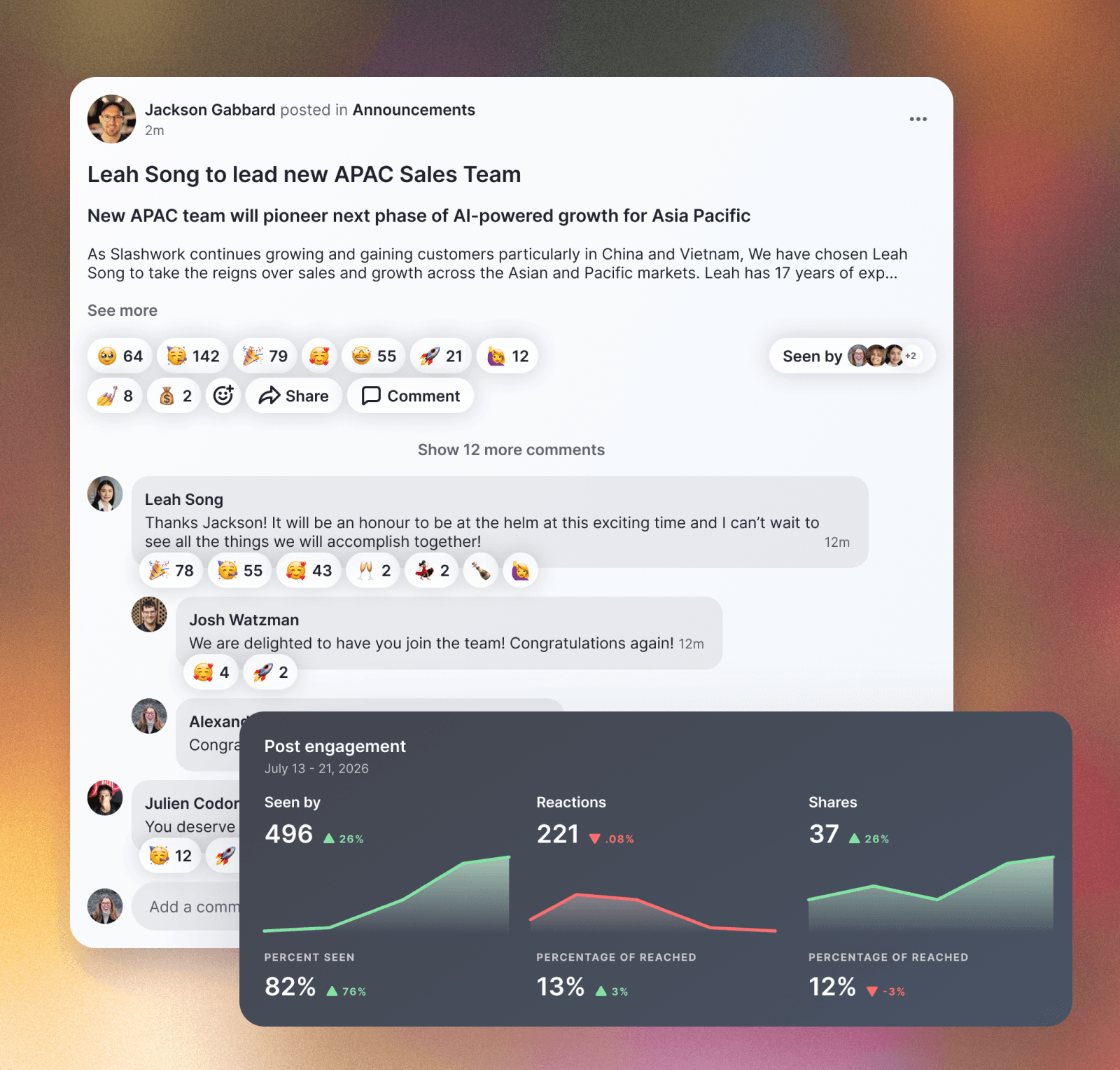
A detailed announcement about a new team being created to tackle a new market
✅ Group post
❌ Chat message
❌ Channel message
This is far more important than a chat message. It impacts lots of people and explains the company strategy. It should get lots of eyeballs and lead to discussion.
When leadership needs to put key information in front of every member of the company, use Group posts. With our Guaranteed Reach feature, you can ensure that key information makes it to every single person in a way that no email ever could. Group posts have detailed analytics about who has seen the post. They have reactions and multi-level discussion threads. You could send this out as an email blast, but then you miss all the team engagement and signal about how it was received.
example 2
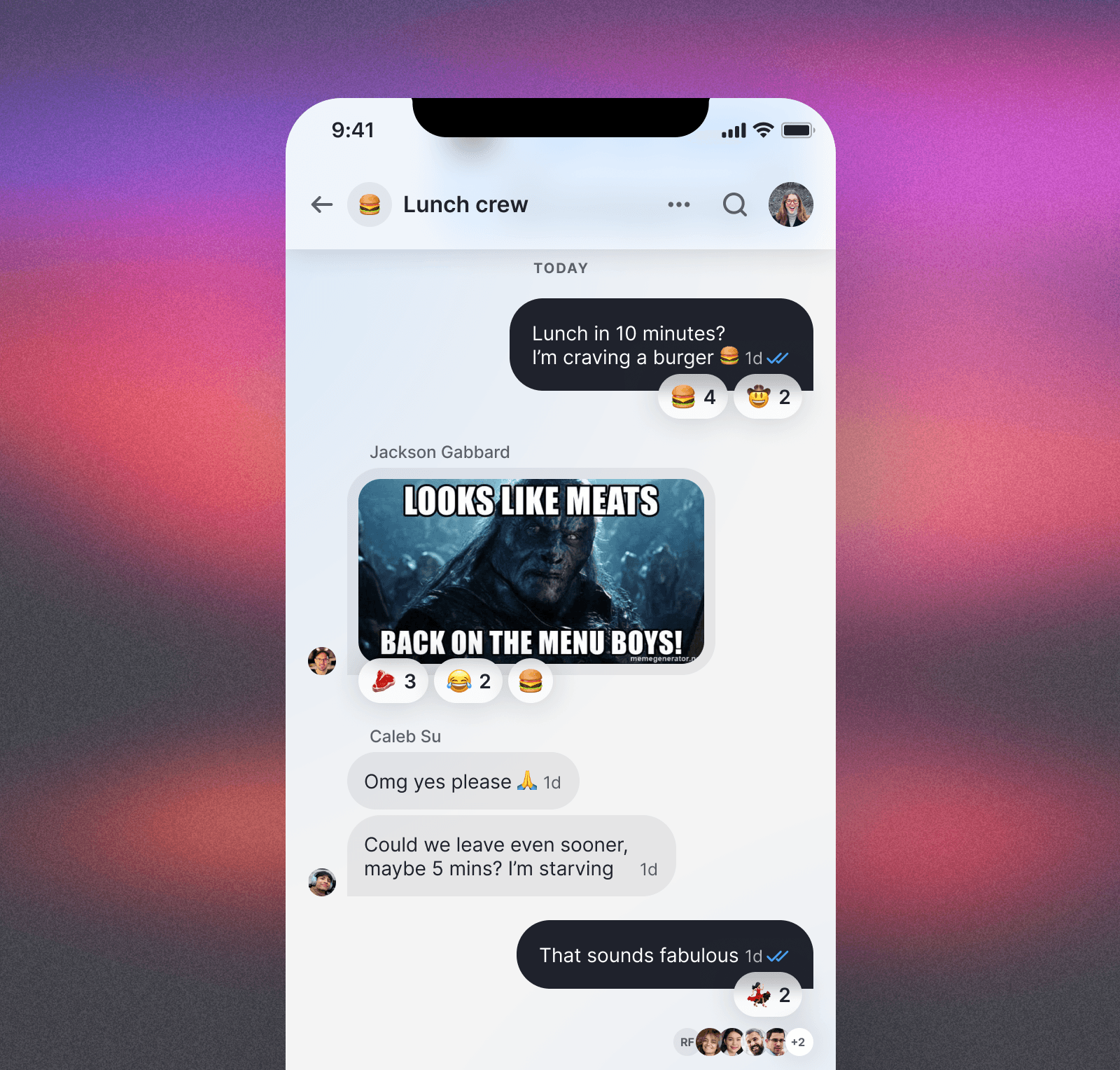
A last minute message to see if anyone wants to try the new lunch place
❌ Group post
✅ Chat message
❌ Channel message
This is exactly the kind of small-distribution, short-lived communication that is perfect for chat threads. By using Slashwork’s chat for this, your message won’t risk crowding out the crucial communications that are taking place in Groups.
example 3
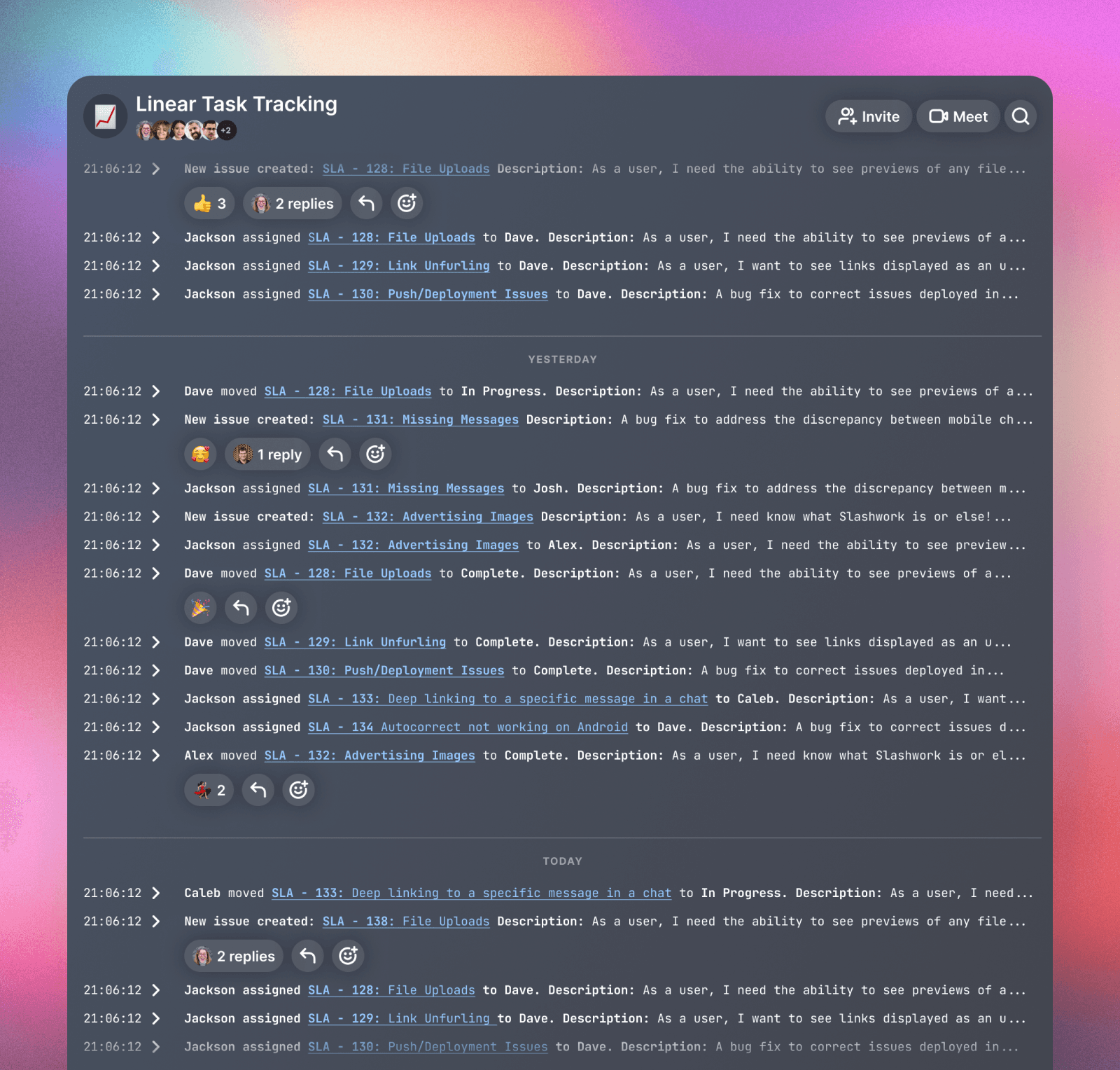
Automated messages about tasks from Linear
❌ Group post
❌ Chat message
✅ Channel message
Any time you have a high-volume of events, especially when they come from external systems like Salesforce or AWS or GitHub, channels are the perfect destination. Slashwork enables you to create richly formatted messages with images, file attachments, and much more. Don’t spam human-to-human communication with automated messaging. Instead, put automated communication into high-density, scannable form with channels.
example 4
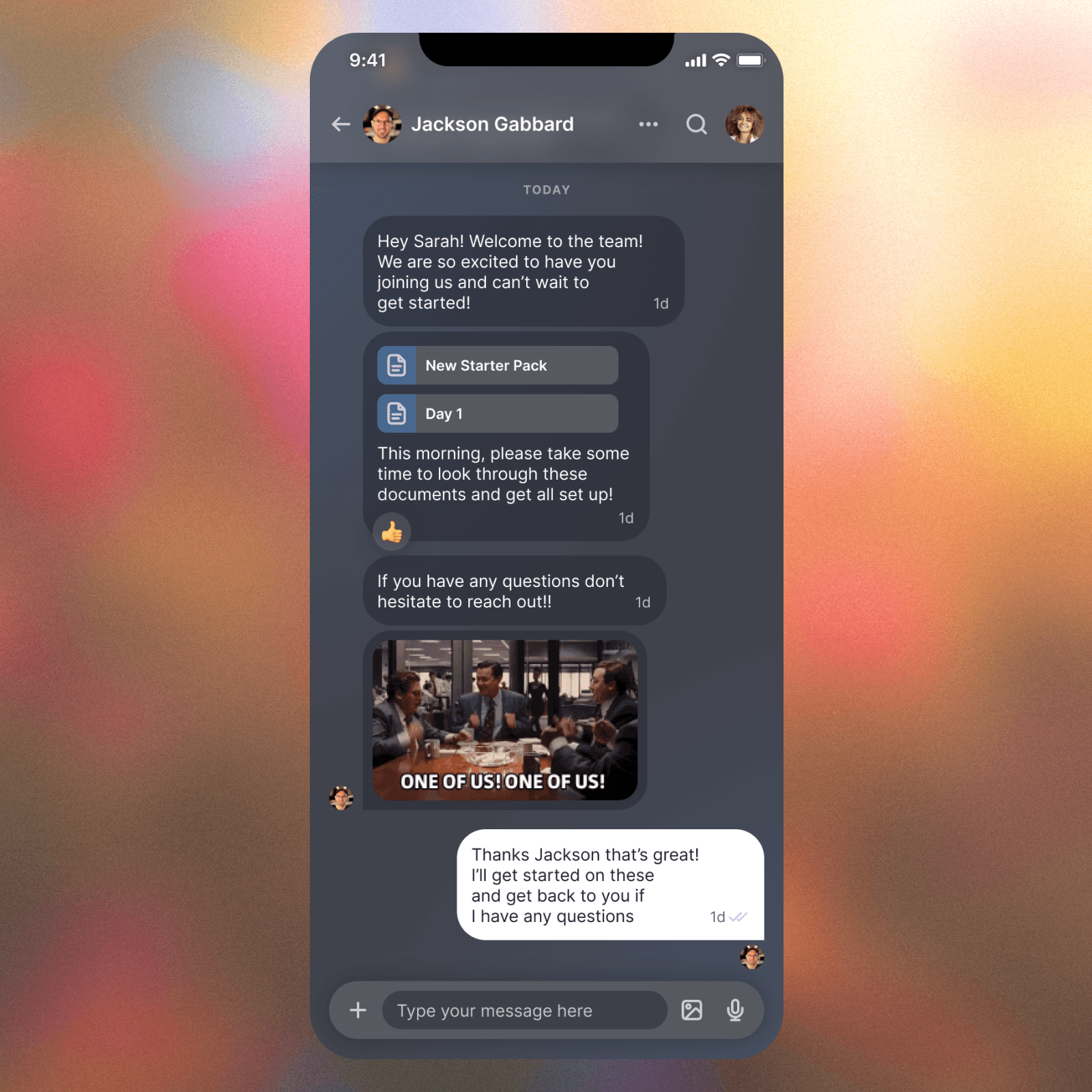
A one-to-one discussion about onboarding a new team member
❌ Group post
✅ Chat message
❌ Channel message
For one-to-one discussions, chat is still king. With our read receipts, reactions, and GIF integrations, you can have a lively, engaging chat conversation just as rich as WhatsApp or Signal. But crucially, it’s still securely owned by the company rather than hosted on a consumer chat platform. And best of all, you’re not switching context away from where the most important news and updates roll in.
Example 5
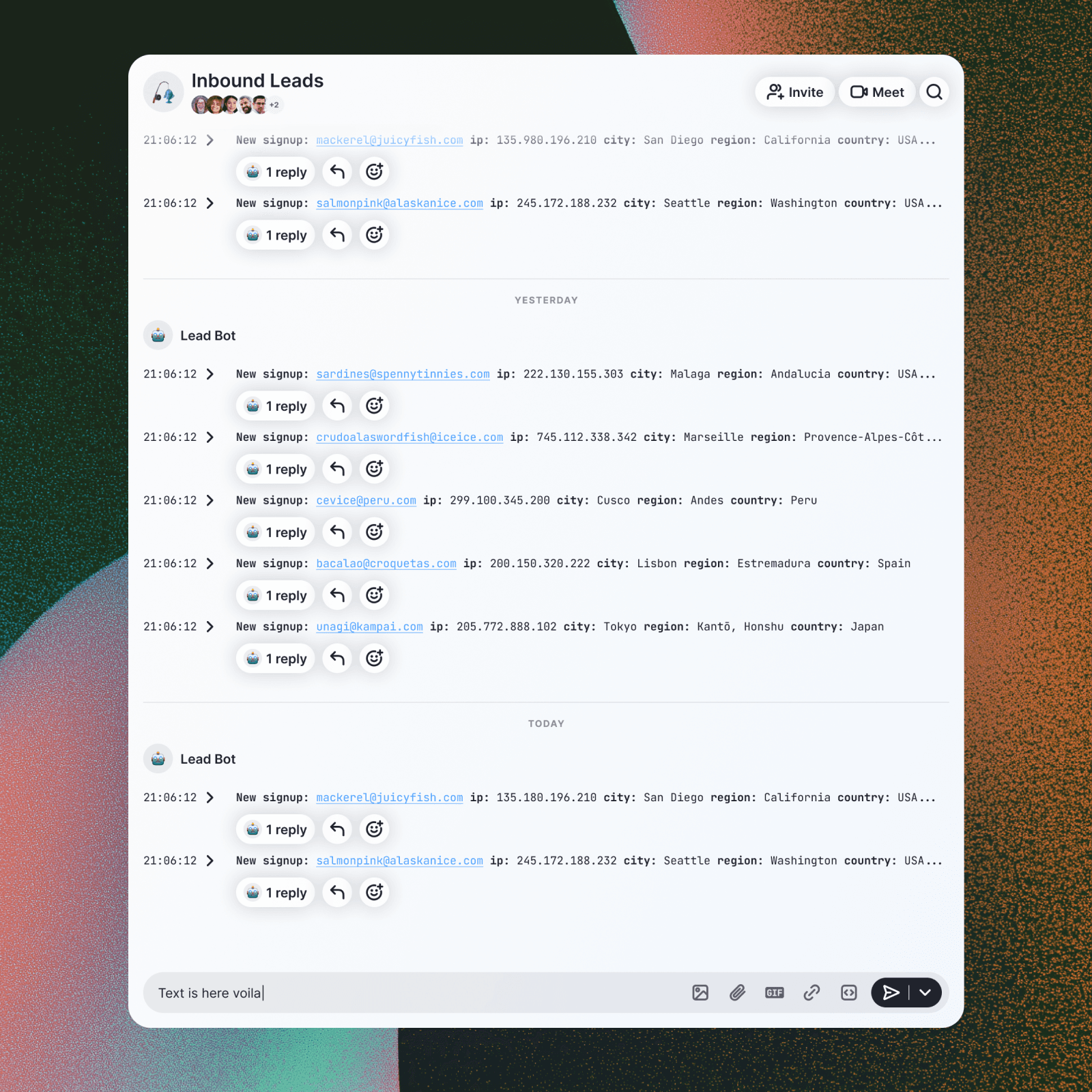
Agent-enabled research about new inbound leads
❌ Group post
❌ Chat message
✅ Channel message
Channels are the perfect surface for wiring up LLM-powered integrations. When your company gets a new inbound lead, send that to a Slashwork channel. And then have your favourite LLM research that lead and comment on the channel message with as much detail as it can find. LLM applications lik ChatGPT or Claude Cowork don’t enable teams to work together. Slashwork does. Use Claude to post messages into Slashwork channels so that everyone on your team benefits from your AI frontrunners.