August 10, 2026
This Week in Slashwork
This week was all about making the things you already do in Slashwork a little faster and a little clearer -- finding what you're looking for, knowing who's actually reading your posts, and getting your whole team set up in the first place. Here's what's new.
👀 Seen By
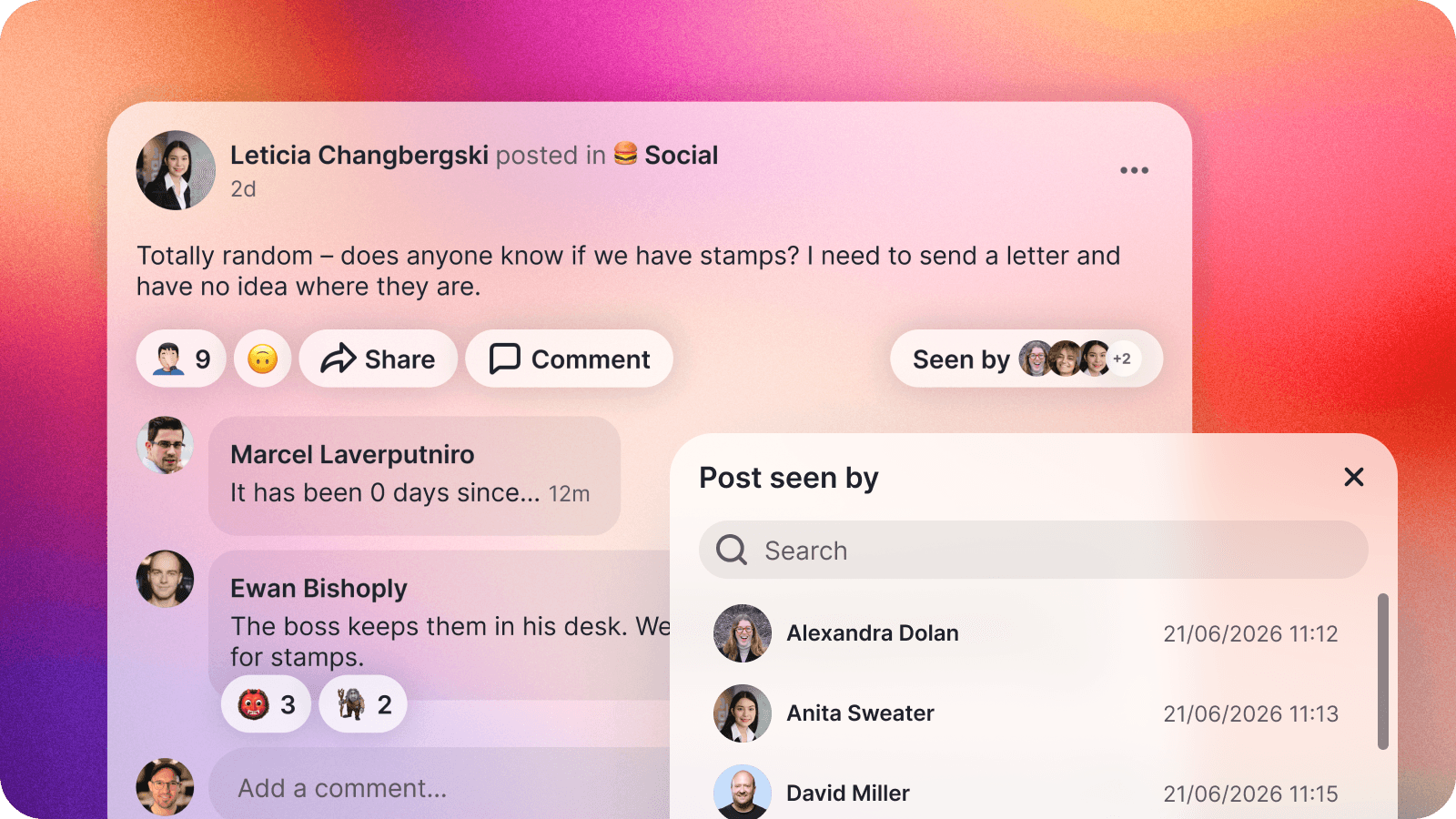
Every post can now show you exactly who's seen it, right underneath the post itself. It's the fastest way to know whether an announcement actually reached your team, or whether it's worth a friendly nudge.
(We only count other people, of course -- we're confident you already know you've seen your own posts.)
🔍 Unified Search
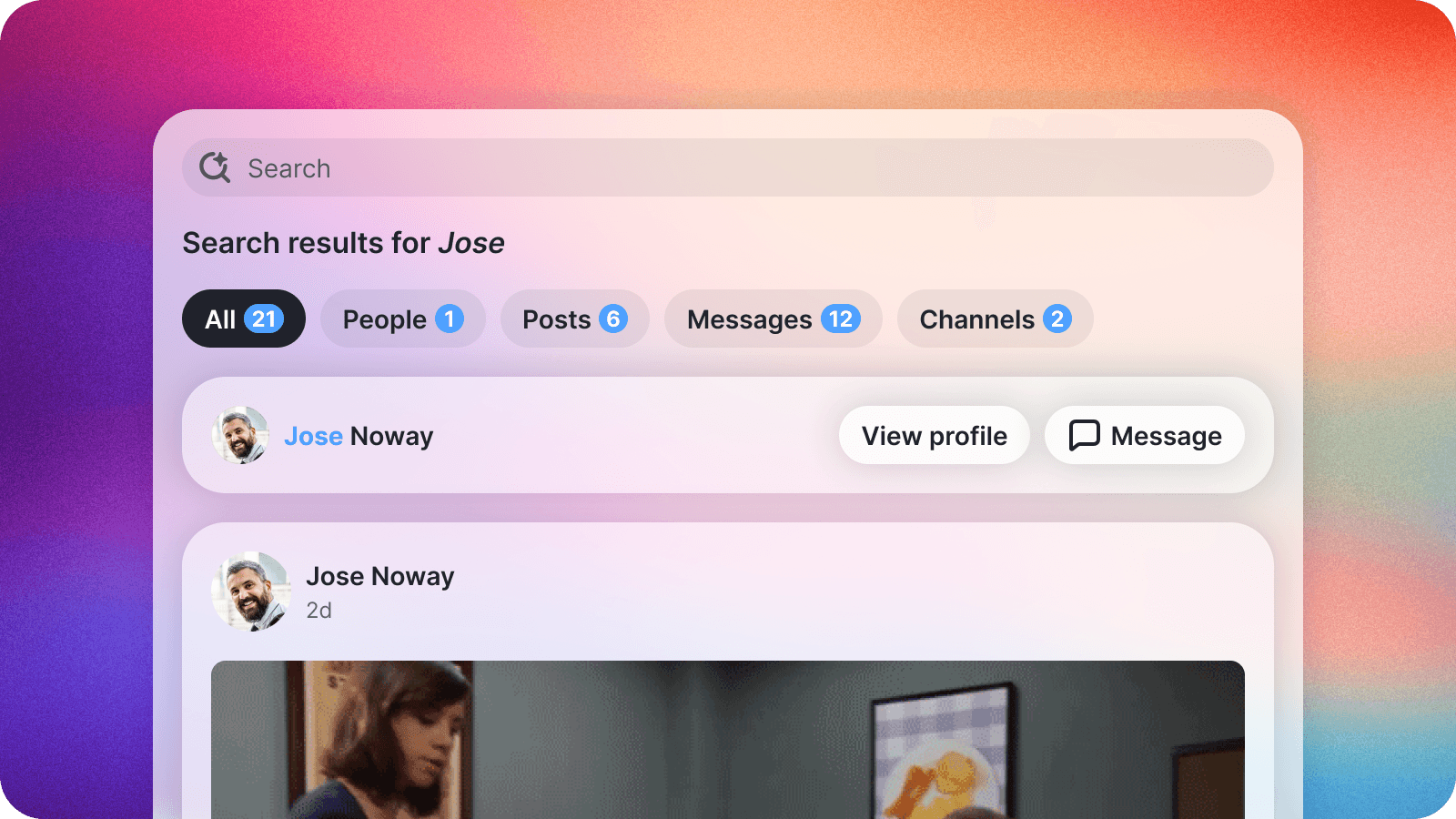
Search on Slashwork now looks in one place instead of three. Type into the search bar and you'll get posts, people, and groups back together in a single list, ranked so the closest match -- not just the most recent one -- floats to the top.
Searching for a person now highlights exactly which letters matched their name right in the results, so you can confirm you've found the right person before you even click.
🔗 Linked Posts
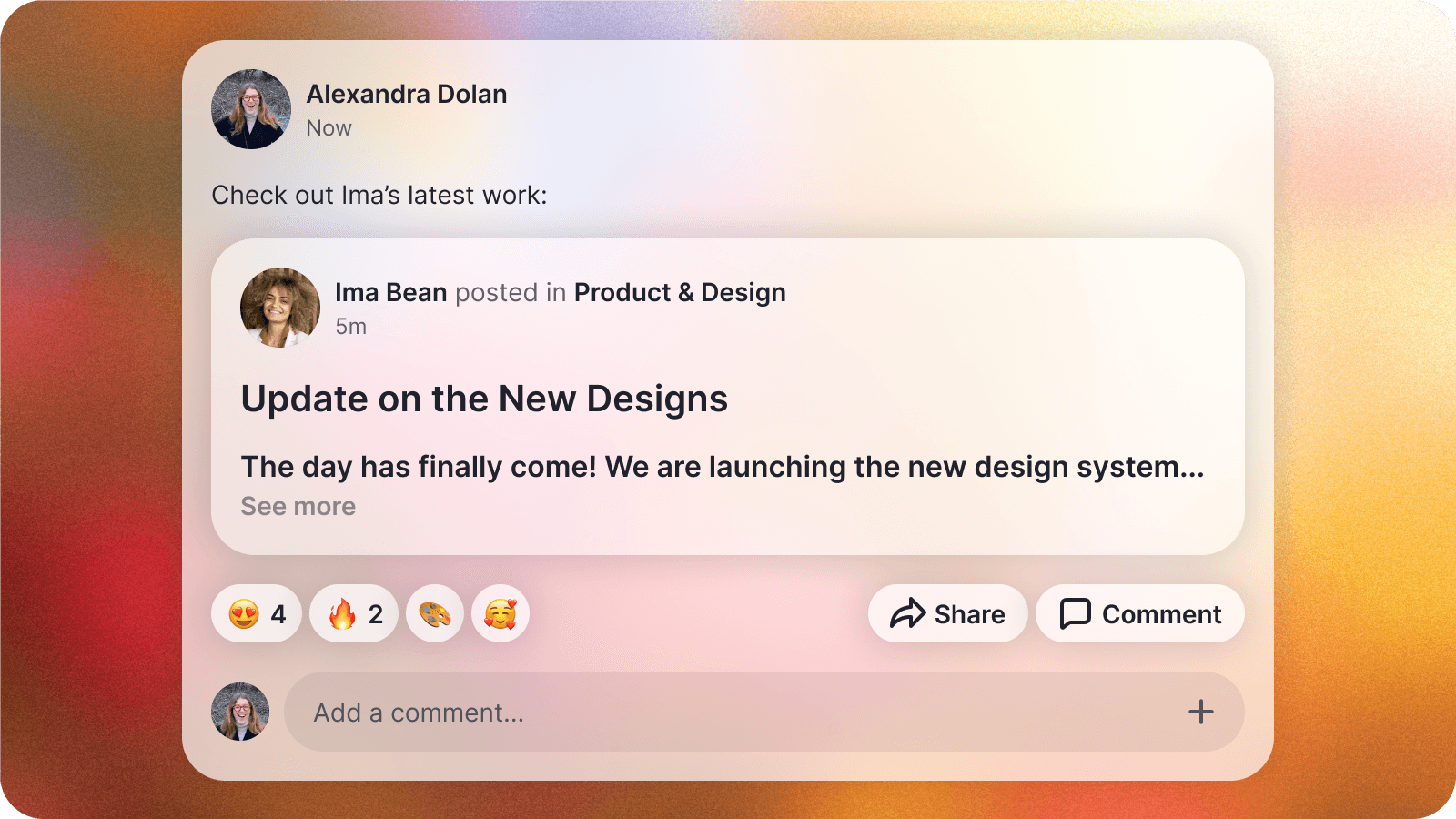
You can now drop a link to another post directly into whatever you're writing, and it shows up as a real, readable preview of that post instead of a bare link to click and hope for the best.
It's a clean way to tie a decision back to the conversation that led to it, and it works the same whether you're writing from your desktop or your phone.
📋 CSV Import
Google Workspace sync has made onboarding effortless for teams that live there, but plenty of companies keep their roster somewhere else entirely. The admin panel now also accepts a plain CSV file, so wherever your team list actually lives, getting everyone into Slashwork is just a single upload away.
✍️ Composer Polish
We've spent real time tightening up the writing experience on iOS and Android. Voice notes, quoted posts, and everything else you drop into a message should now feel more consistent no matter which device you're typing from.