July 27, 2026
This Week in Slashwork
No single headline feature this week, which is honestly how most of the good stuff in software actually happens: a dozen things get a little bit better all at once. Search finally feels like it should have all along, every message can now be pointed at directly, and photos behave the way your thumb expects them to. Here's what shipped.
🔍 Search Gets a Glow-Up
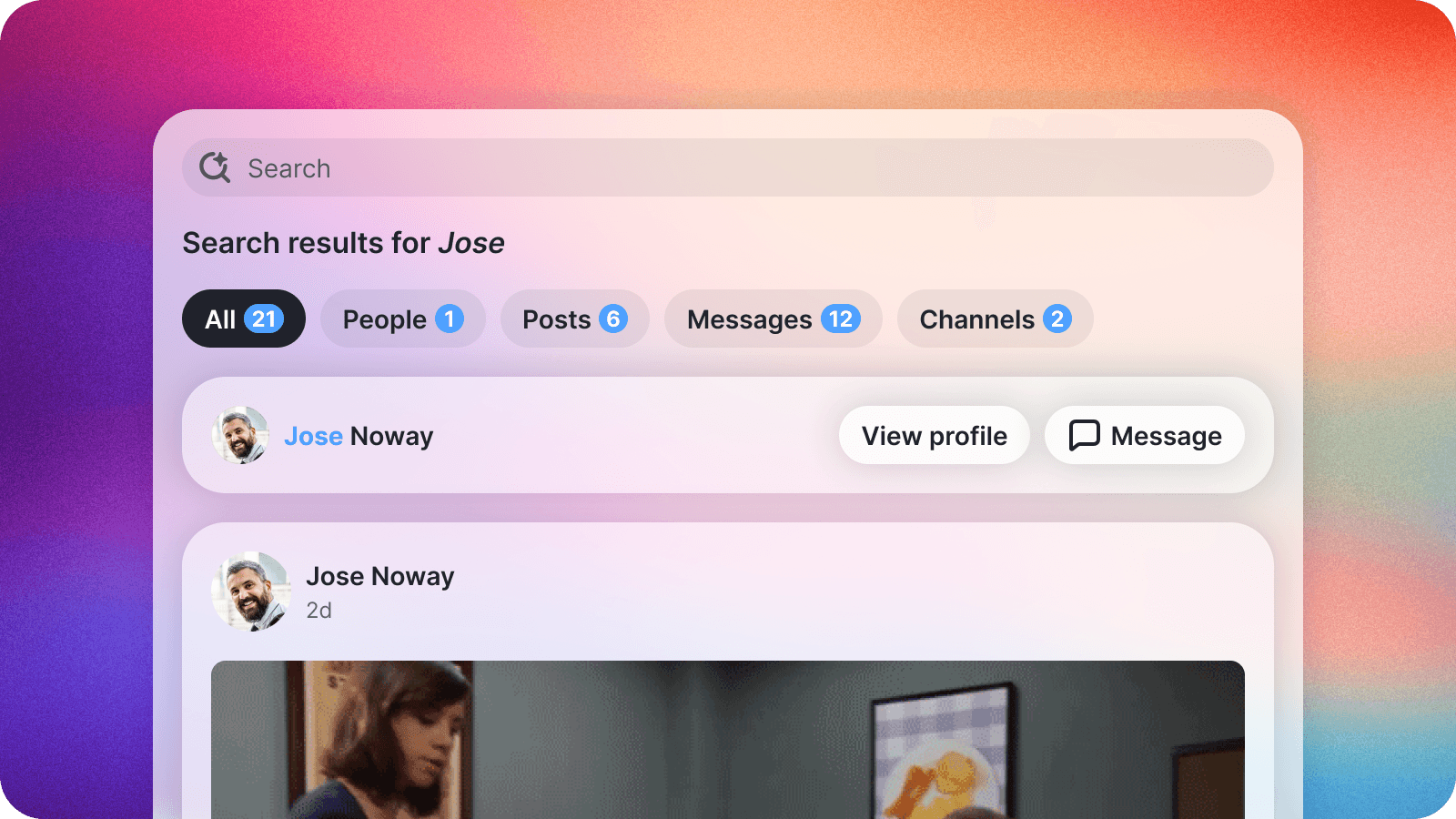
Search just got a lot faster to reach and a lot more useful once you're in it. Hit Cmd+K (or Ctrl+K on Windows) from anywhere in Slashwork and it launches instantly, no hunting for the magnifying glass. Once you're searching, the arrow keys move you through results the way your instincts expect, and picking a message result now drops you directly into the conversation at that exact point instead of leaving you to go find it yourself.
🔗 Copy a Link to Any Message
Every message in Slashwork, on web or mobile, can now be linked to directly. Copy a link to any message and send it to a teammate, and it drops them right into that exact point in the conversation, instead of the general vicinity. It's a small thing that changes a habit: pointing someone at the decision that got made rather than re-explaining it from scratch. Pinned messages got the same upgrade, jumping straight to the message in context rather than opening a separate window.
🖼️ The Photo Viewer, Perfected
We put real time into making Slashwork's photo viewer feel right everywhere. Pinch-to-zoom and panning now behave exactly as expected on the web, not just in the apps, and you can download the original full-resolution photo in a single tap. Flipping through a set of photos is easier to follow too, with correctly proportioned thumbnails, a tidy 2x2 preview grid, and a clear indicator of how many photos are in a set and where you are in it.
🎨 Make Slashwork Look Like Your Company

Company branding got several rounds of polish this week. Admins get a smoother, more forgiving experience cropping a new company logo, and the left navigation now makes it obvious how to add one if you haven't yet.
💬 Chat, Smoothed Out

A long list of small fixes adds up to a noticeably steadier chat experience, especially on Android: typing now gets proper autocorrect, and the cursor behaves reliably even while editing around a voice note or deleting text quickly. The attachment tray now tucks itself away right after you hit send instead of lingering, and voice notes stay exactly where you dropped them in a message no matter how much you keep editing the text around them.
🔐 Friendlier Permission Prompts
Granting Slashwork access to your camera, microphone, or photos on iOS should now feel a lot less like agreeing to fine print. We tuned up how and when we ask for that access, and the voice recorder in particular now handles a "not right now" gracefully instead of getting stuck, so you can back out and keep going rather than starting over.
🔑 A Steadier SSO and SCIM
For admins managing access through SSO or SCIM, we kept chipping away at reliability under the hood: steadier token handling, more consistent styling across identity provider redirects, and tighter validation on synced email addresses. Nothing flashy to look at, which is exactly the point for this kind of feature.